

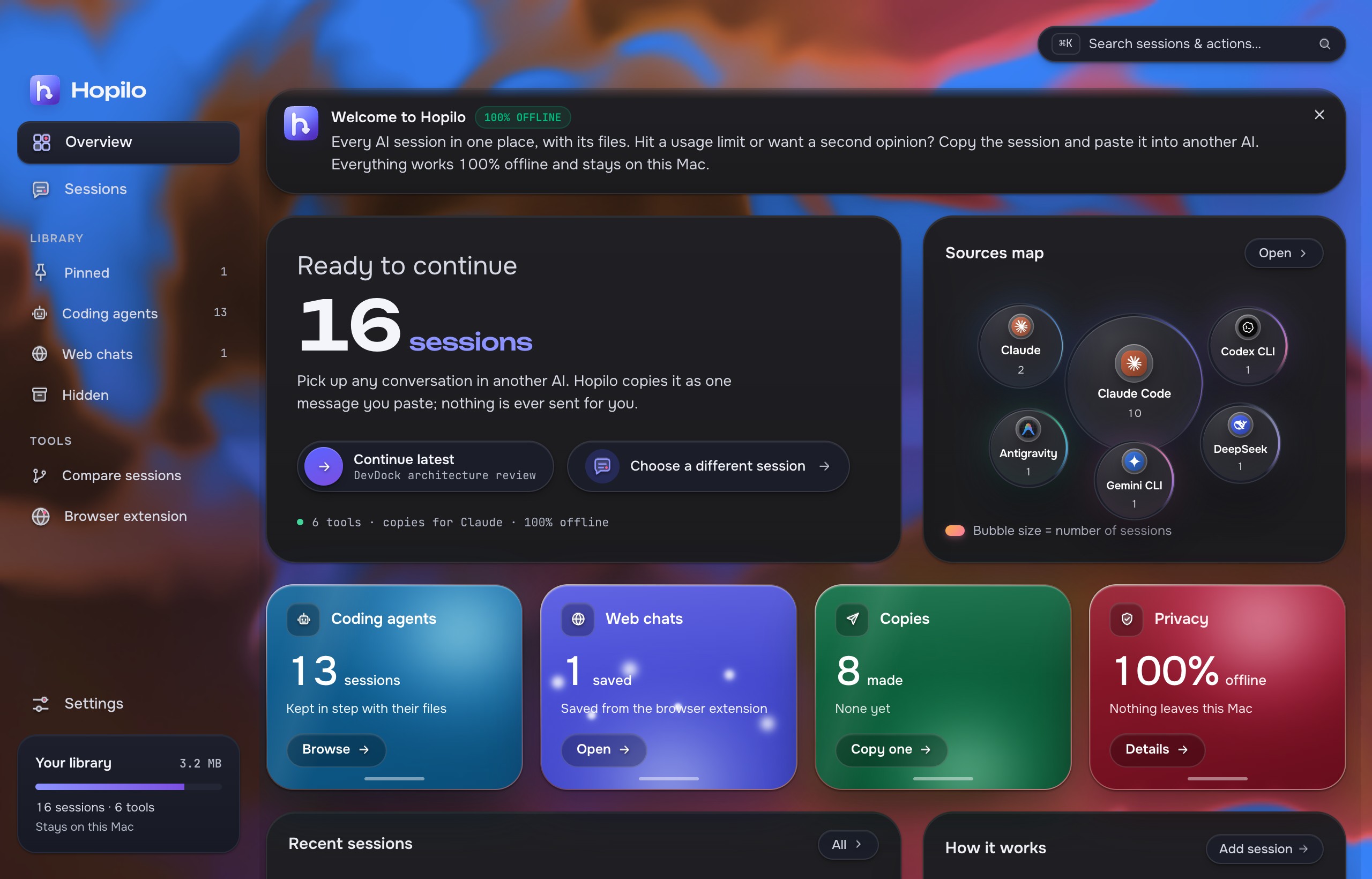
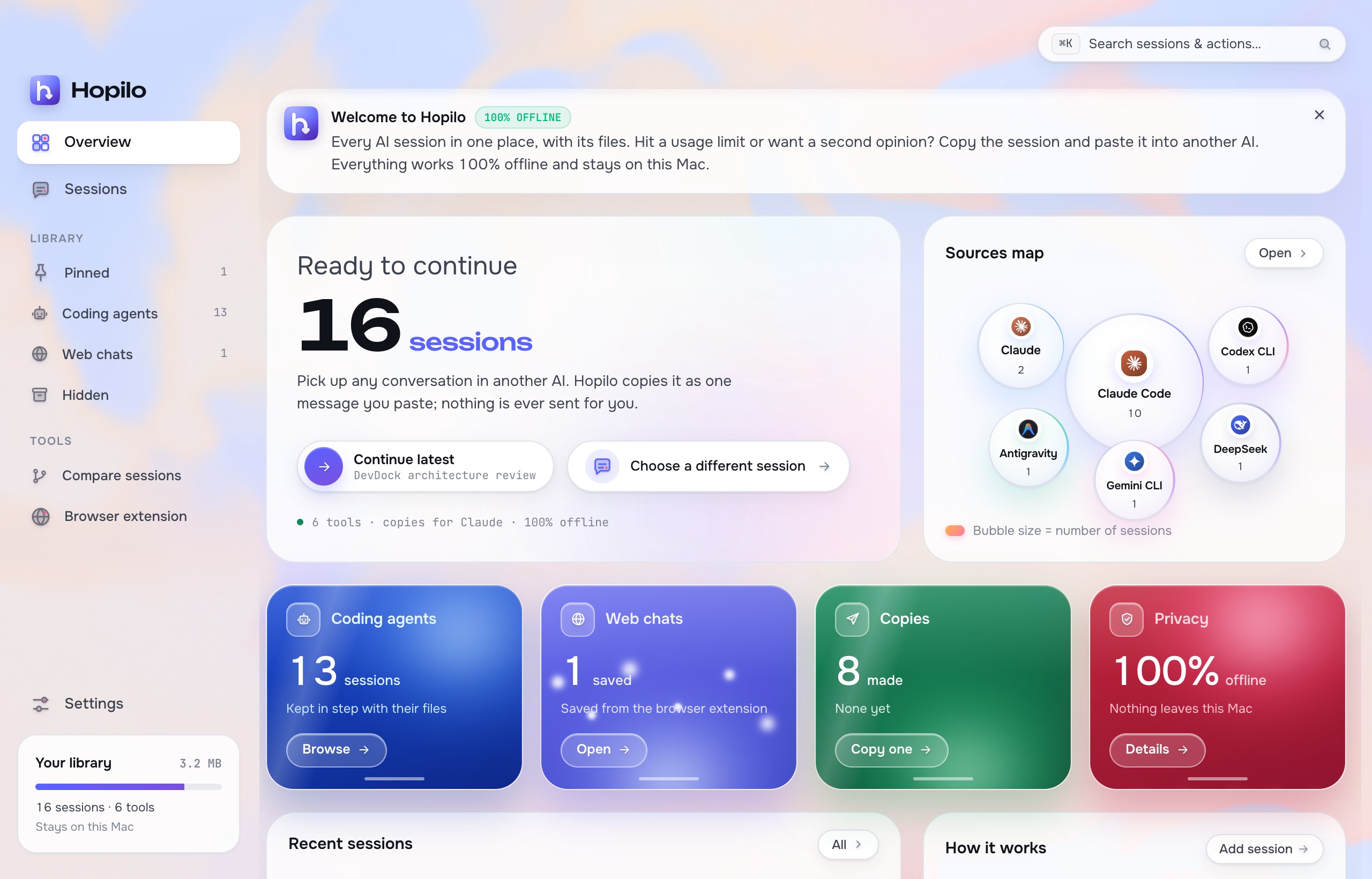
Welcome to Hopilo 100% offline
Every AI session in one place, with its files. Hit a usage limit or want a second opinion? Copy the session and paste it into another AI. Everything stays on your computer.
Ready to continue
Pick up any conversation in another AI. Hopilo copies it as one message you paste; nothing is ever sent for you.
See it work
real appKept in step with their files
Saved by the browser extension
Full, Balanced or Minimal
Nothing leaves your computer
Works with
All 19- Claude Code~/.claude/projects · read-onlyagent
- Codex CLI~/.codex/sessions · .jsonl and .jsonl.zstagent
- Gemini CLI, Antigravity~/.gemini/tmp · ~/.gemini/antigravityagent
- Cursor, Copilot, Zed, OpenCodeeditor stores, opened read-onlyeditor
- ChatGPT, Claude, Geminisaved from the browser extensionweb
How it works
Copy a session- 1Pick a sessionFrom a coding agent or a web chat. Hopilo already found it on your computer.
- 2Choose what the next AI should doContinue, Review, Summarize or Debug, at Full, Balanced or Minimal size.
- 3Paste it and keep goingOne message lands on your clipboard. Secrets are flagged before you paste.
The real app
Install
One app for macOS, Windows and Linux. No account, no sign-in.
curl -fsSL https://hopilo.kiron.dev/install.sh | bashOr install by hand:
- Download the
.dmgfrom Releases, open it and drag Hopilo into Applications. - Open Hopilo. If macOS says it can't verify the app, go to System Settings › Privacy & Security and click Open Anyway.
- Hopilo starts in the menu bar. Click its icon, or set Settings › On launch, show to Overview to open the window at launch.
- Download the
.msior.exeinstaller from Releases and run it. - If SmartScreen appears, choose More info › Run anyway.
- Hopilo lives in the system tray. Click its icon to copy a recent session or open the window.
curl -fsSL https://hopilo.kiron.dev/install.sh | bash- Or install the
.debfrom Releases. - Or mark the
.AppImageexecutable and run it.
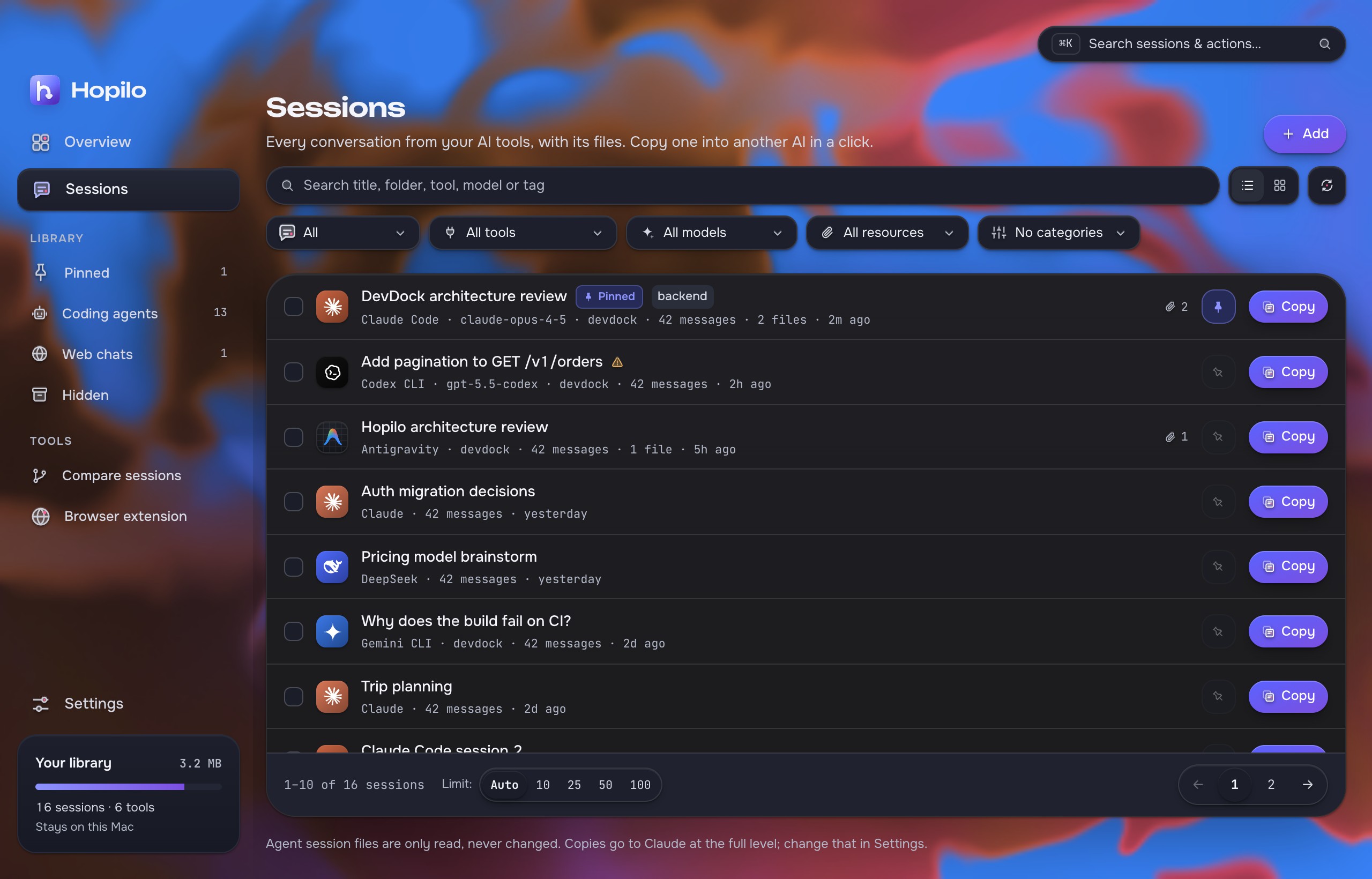
Sessions
Every conversation from your AI tools, with its files.
Already on your computer. Now in one list.
Hopilo reads the folders your agents already write to. Open it and your sessions are there, newest first, with the files each one touched.
- Syncs at launch, when the window gains focus, and from the refresh button.
- Only changed files are parsed again. A warm sync of ~1,200 sessions takes tens of milliseconds.
- Filter by tool, model, folder or tag. Pin what matters, hide the rest.
- Hidden reasoning and injected reminders are counted on the session, never dropped silently.
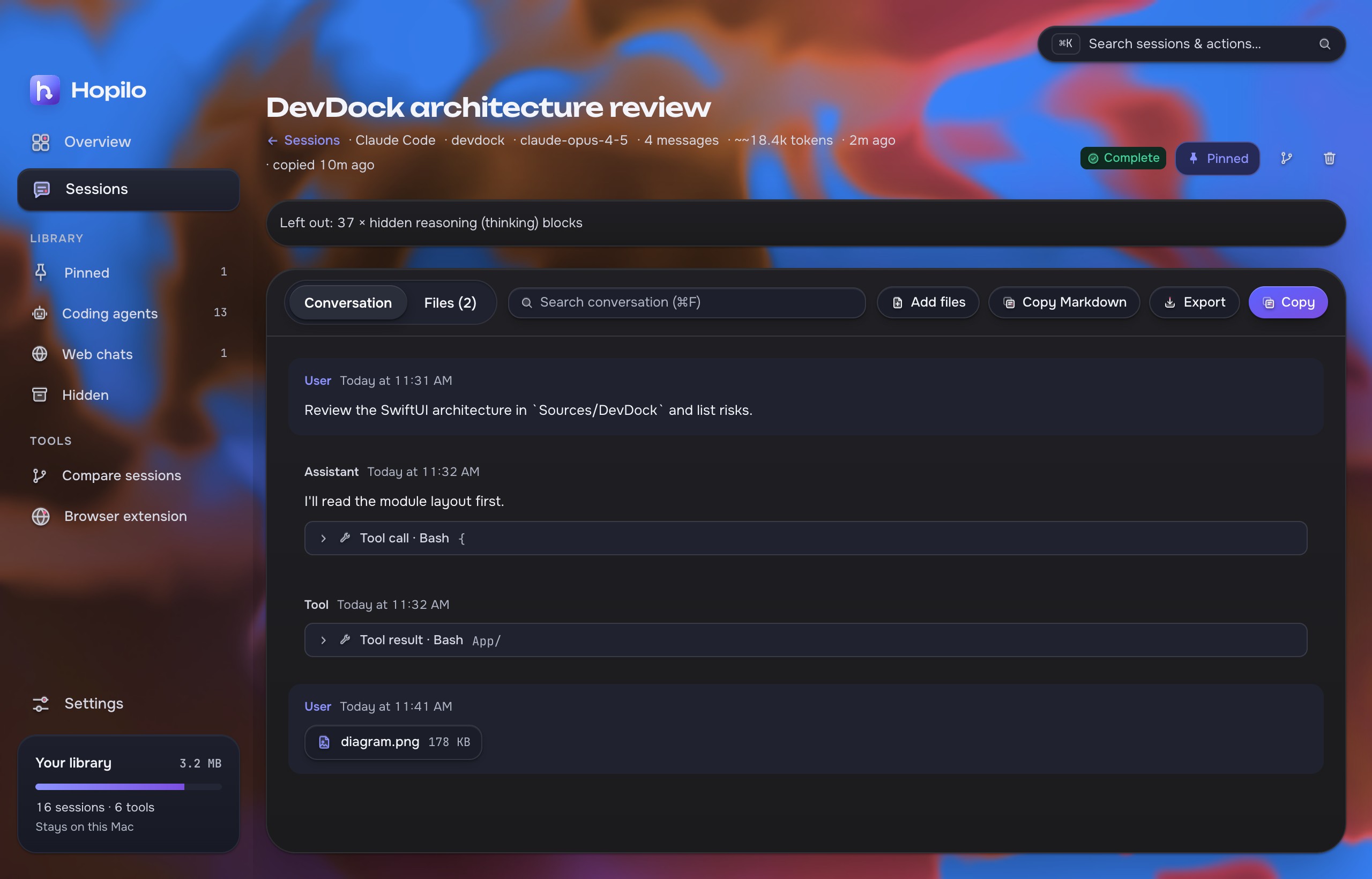
Read the whole thread.
Open a session to see the conversation, tool calls and results, and the files it changed. Search inside it, add files, export it, or copy it.
Copy a session
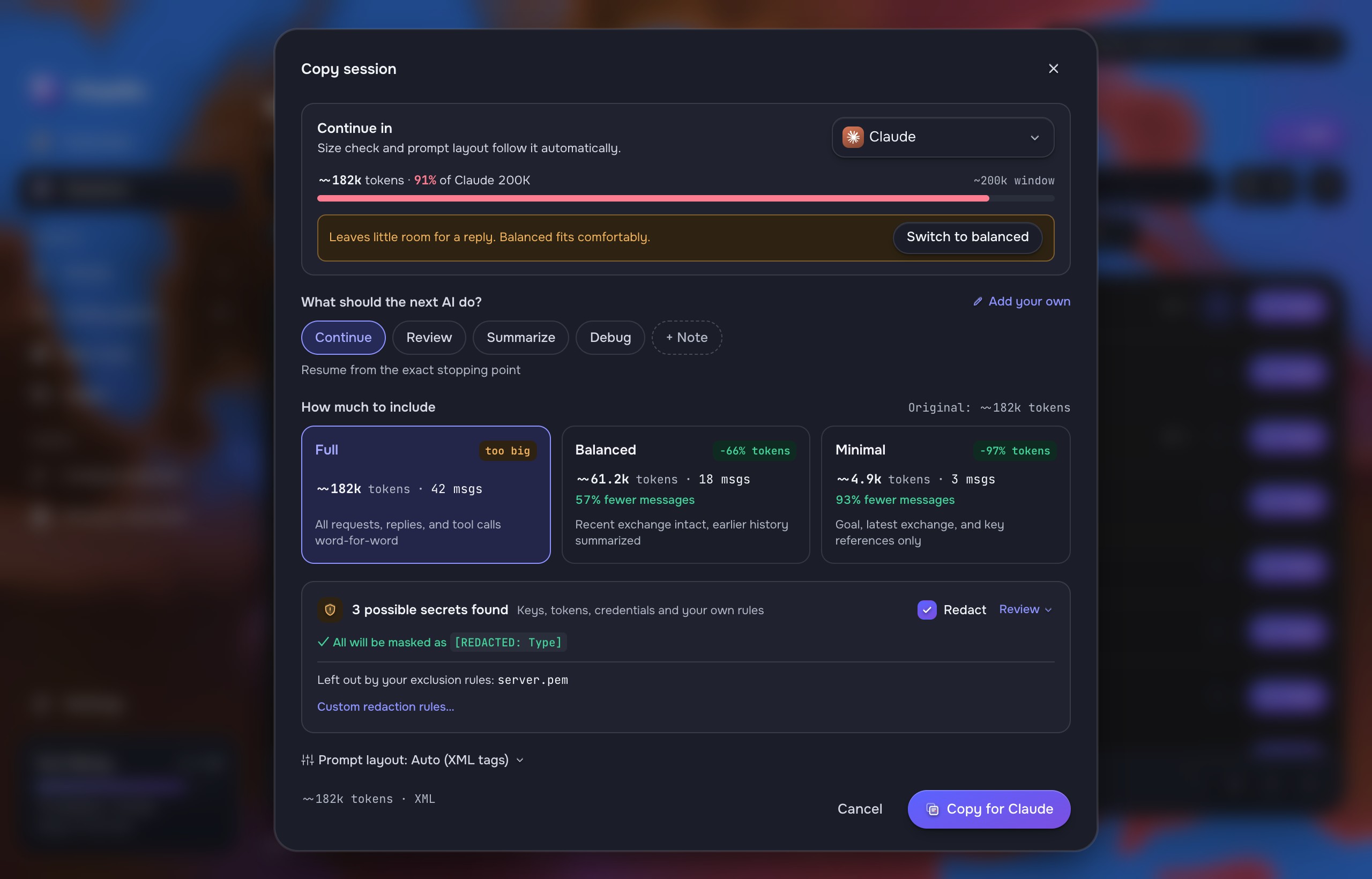
One message, sized for the AI you continue in.
Tell the next AI what to do.
Pick where you continue, then what it should do: Continue, Review, Summarize, Debug, or a note of your own.
Choose how much to include. Full, Balanced and Minimal are fixed rules, not a summarizing model, and Hopilo shows the token count against the target's window before you copy.
- Keys, tokens and emails are flagged and can be masked as
[REDACTED: Type]. - Your own exclusion rules leave files like
server.pemout. - Combine several sessions into one copy.
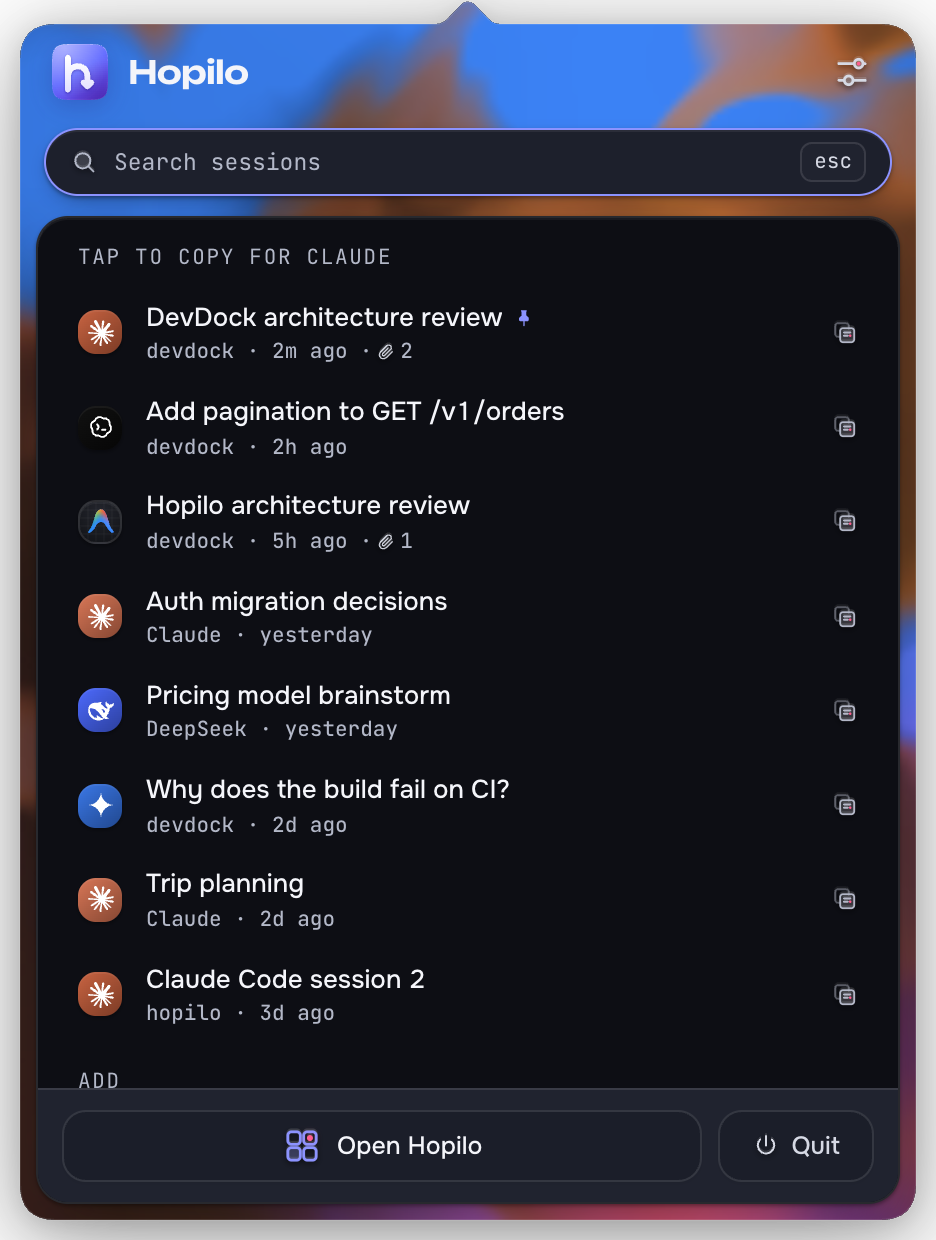
Menu bar
Copy without opening the window.
Tap a session. It's on your clipboard.
Hopilo lives in the menu bar. Click its icon for your recent sessions; tap one to copy it for your default AI.
- A global shortcut copies your latest session from any app.
- Choose whether the icon opens the Quick Panel or the dashboard.
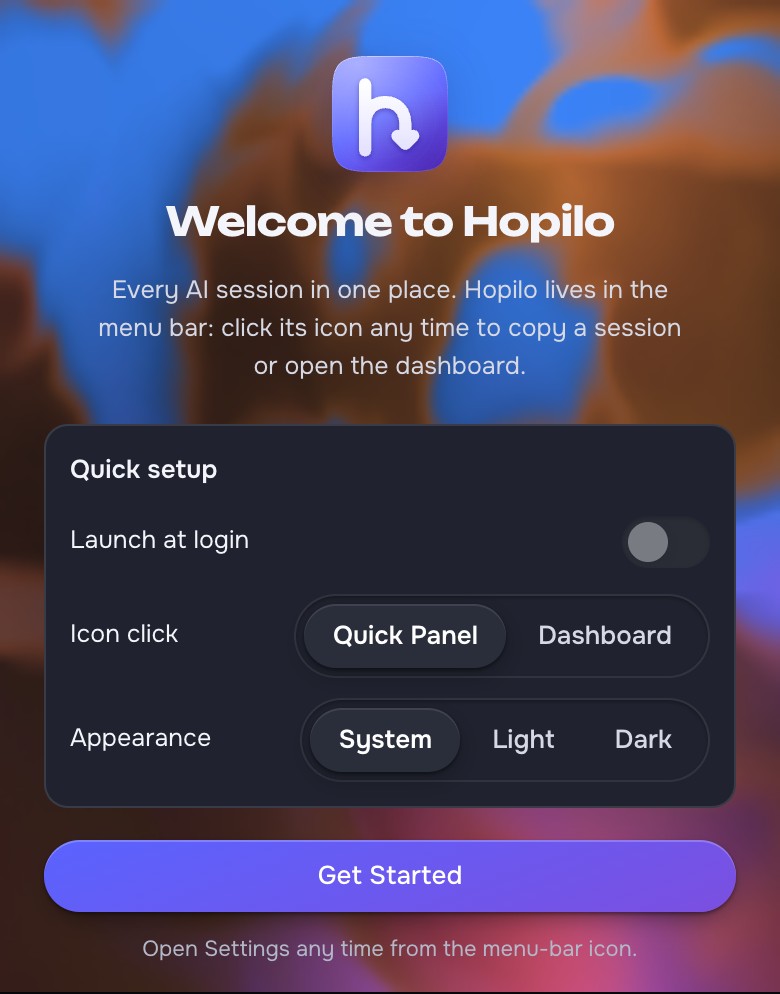
- First launch asks three things: launch at login, icon click, appearance.
Compare sessions
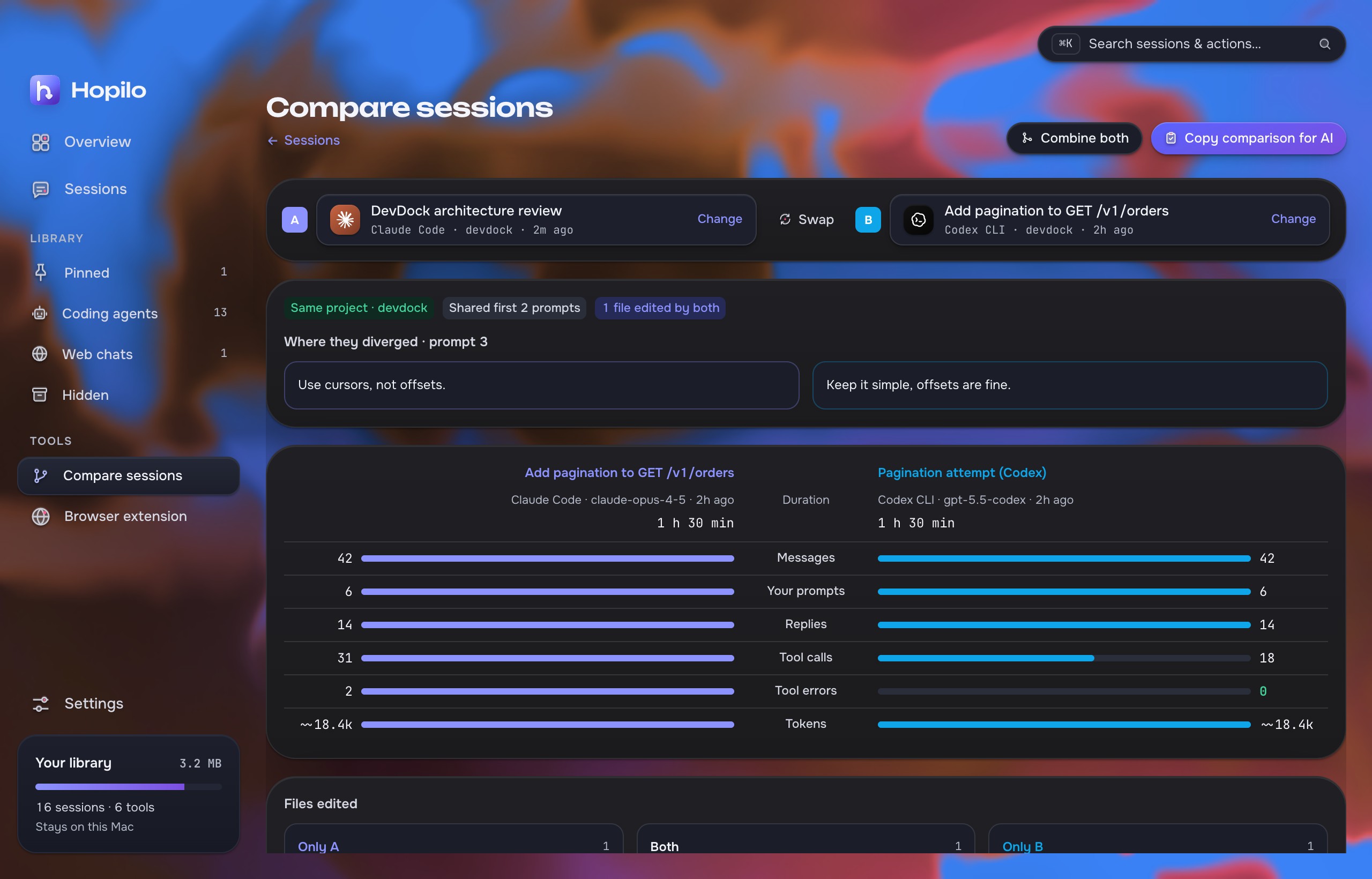
Two attempts at the same task, side by side.
See where they split.
Claude Code against Codex on one prompt, or a branch that went down a rabbit hole. Hopilo lines them up by prompt and shows where they diverged.
- Messages, prompts, replies, tool calls, errors and tokens, bar against bar.
- Files edited by only A, only B, or both.
- Copy comparison for AI or Combine both into one copy.
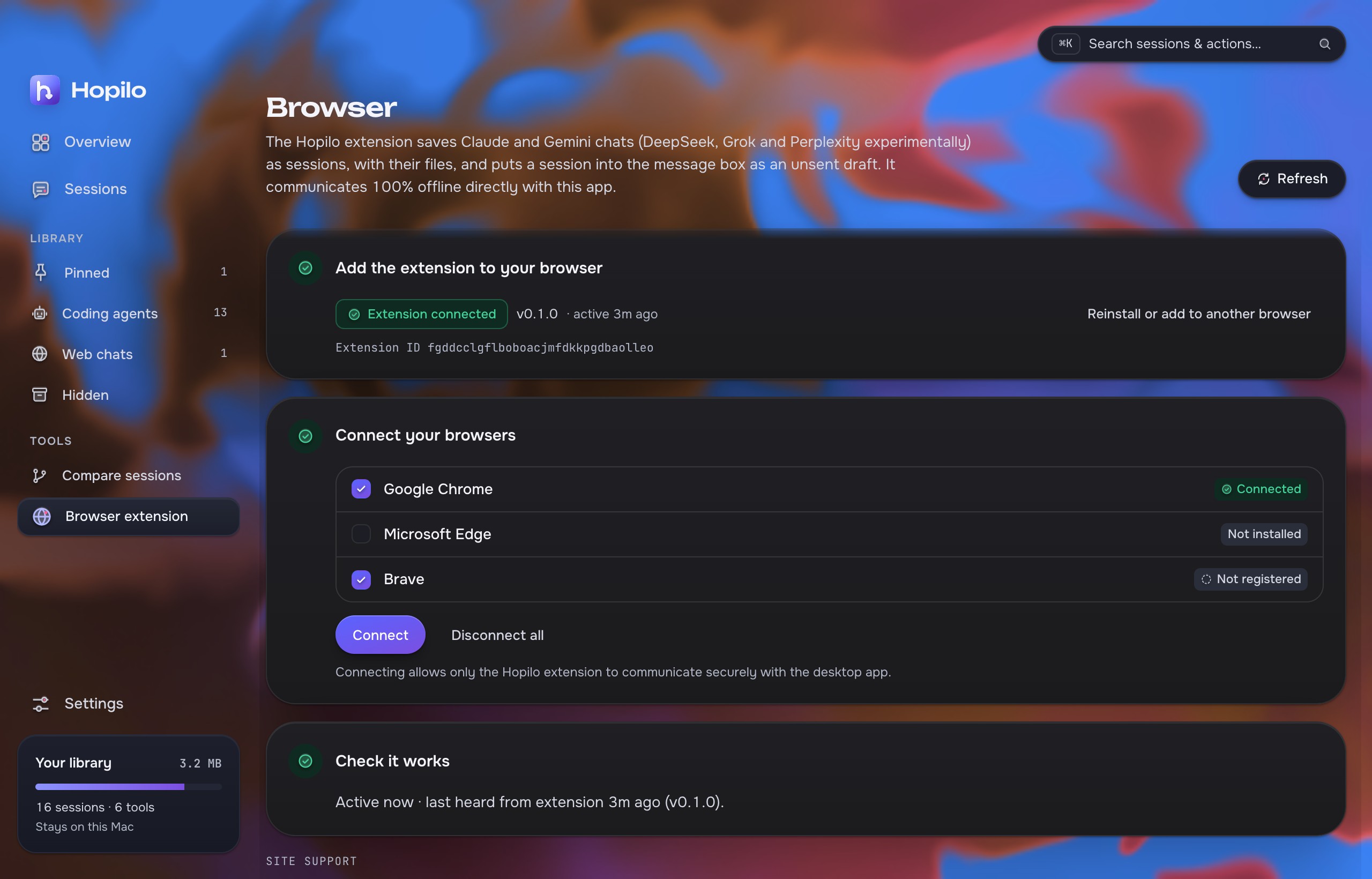
Browser extension
Web chats join the same library.
Save a chat. Paste one back.
The extension saves ChatGPT, Claude and Gemini chats (DeepSeek, Grok and Perplexity experimentally) and can put a session into a chat box as an unsent draft.
- Unzip
hopilo-extension-chrome-<version>.zipfrom the release. - Open
chrome://extensions, turn on Developer mode, click Load unpacked. - In Hopilo open Browser › Connect. Firefox: load the Firefox zip from
about:debugging.
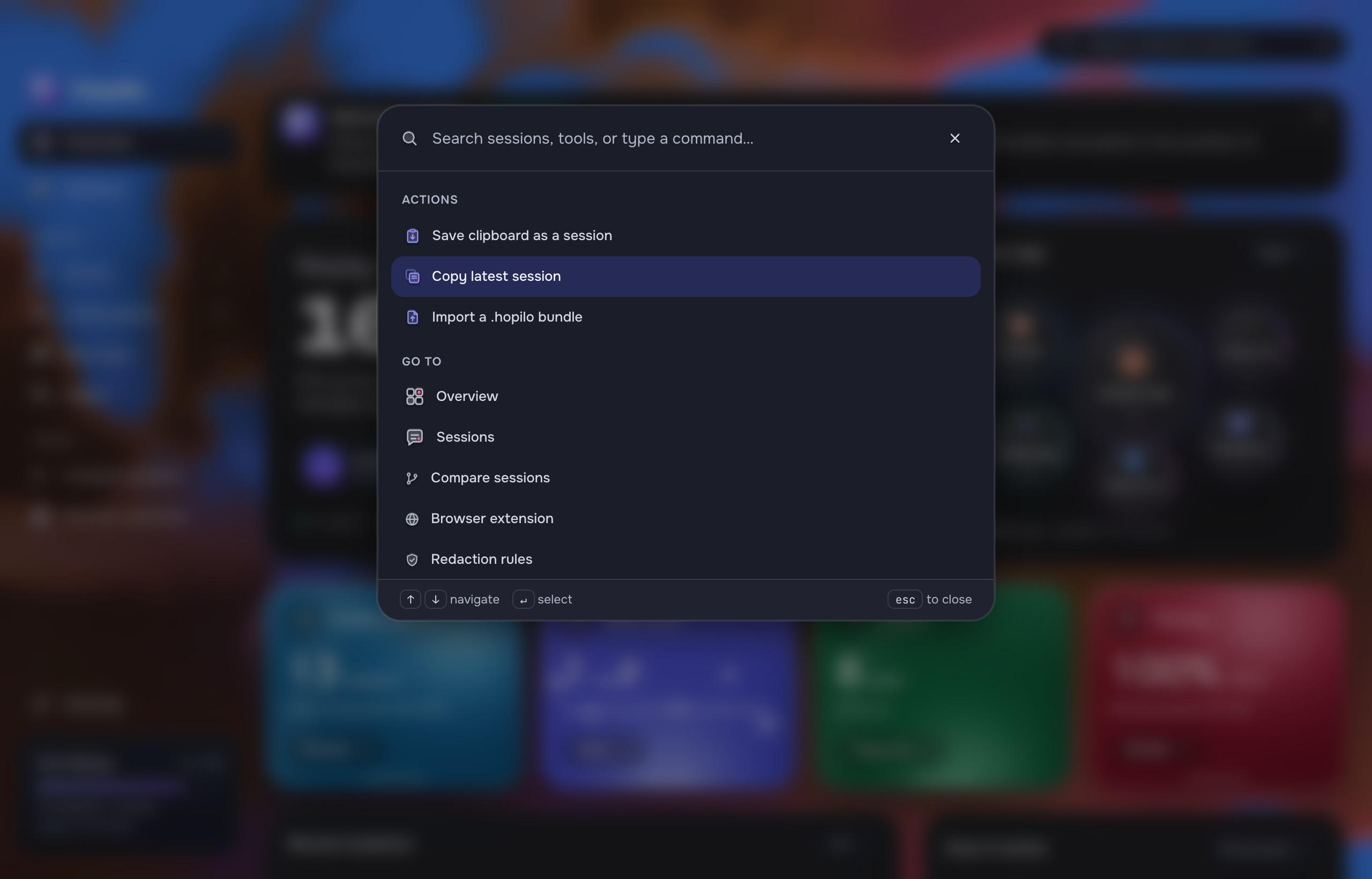
Search & commands
Everything is a keystroke away.
⌘K anywhere.
Search titles, folders, tools, models and tags, or run an action: save the clipboard as a session, copy the latest one, import a .hopilo bundle.
This page has one too. Try it.
Sources
Where Hopilo looks. Files are opened read-only; SQLite stores with SQLITE_OPEN_READ_ONLY.
| Agent | Paths (macOS; Linux and Windows equivalents are checked too) |
|---|---|
| Claude Code | ~/.claude/projects, ~/.config/claude/projects, $CLAUDE_CONFIG_DIR |
| Codex CLI | ~/.codex/sessions, ~/.codex/archived_sessions (.jsonl and zstd .jsonl.zst), $CODEX_HOME |
| Gemini CLI, Qwen Code | ~/.gemini/tmp, ~/.qwen/tmp |
| Antigravity | ~/.gemini/antigravity, antigravity-ide and antigravity-cli brain folders |
| OpenCode | ~/.local/share/opencode/opencode.db |
| Cursor | Cursor/User/globalStorage/state.vscdb |
| Cursor CLI | ~/.cursor/chats/*/*/store.db |
| VS Code Copilot Chat | workspaceStorage/*/chatSessions, globalStorage/emptyWindowChatSessions in Code, Insiders and VSCodium |
| GitHub Copilot CLI | ~/.copilot/session-state, ~/.copilot/history-session-state |
| Cline, Roo Code, Kilo Code | globalStorage/<extension>/tasks in any VS Code-family editor, ~/.cline/data/tasks |
| Factory Droid, Pi, Kimi CLI, Goose | ~/.factory/sessions, ~/.pi/agent/sessions, ~/.kimi/sessions, ~/.local/share/goose/sessions |
| Zed | Zed/threads/threads.db |
| Aider | .aider.chat.history.md, imported from Add |
Also imports pasted text, ChatGPT and Claude data exports, files, and .handoff archives.
Privacy
Local by design, not by setting.
Exports
Take a session anywhere, in four formats.
.mdReadable Markdown with roles, tool calls and file list.
.txtPlain text for anything that doesn't render Markdown.
.jsonNormalized conversation. Local paths are left out.
.handoffA zip with the conversation, its files and SHA-256 checksums, verified on import.
FAQ
Does Hopilo send my sessions to an AI?
No. Hopilo builds the message on your computer and puts it on your clipboard. You paste it yourself. Even the browser extension only inserts an unsent draft.
Is Balanced a summary written by a model?
No. Full, Balanced and Minimal are fixed rules about which messages and tool output to keep. The same session gives the same copy every time.
Will it change my agent's files?
No. Session files are opened read-only and SQLite stores with SQLITE_OPEN_READ_ONLY. A title you set is stored in Hopilo's own library.
What if a session was only partly readable?
It's marked Partial with the reason, and anything left out (hidden reasoning, system reminders, sub-agent side chains) is counted on the session.
macOS says the app can't be verified.
Go to System Settings › Privacy & Security and click Open Anyway. You only need to do this once.
Where is my library stored?
On macOS, ~/Library/Application Support/io.coreify.hopilo/, or the platform equivalent. Before a schema migration the library is copied to hopilo.db.before-vN.
Build from source
Tauri 2 with a Rust core and a React UI. Rust stable, Node 22+, pnpm 10.
# clone and run the desktop app
git clone https://github.com/kiron0/hopilo
cd hopilo
pnpm install
pnpm --filter @hopilo/desktop tauri dev